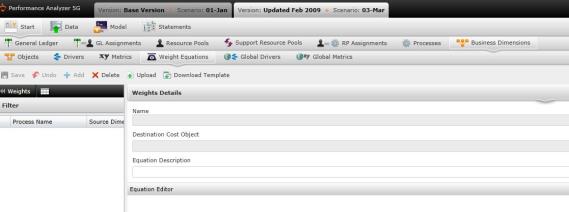
The Weight Equations screen allows you to create an equation which, when calculated, is used as a weight to give a business dimension instance more or less activity time.
Weight equations change the flow of processes down the business dimension hierarchy, enabling you to drive more time, and therefore cost, to business dimensions that meet certain criteria. Without weight equations, the activity time would be driven evenly down the hierarchy.
For example, if the cost equation for Packaging is placed at the Order level, the total Packaging cost is calculated for each order. A weight equation placed at the Line Item level then divvies each order’s cost among its line items according to the given formula. This can help divide costs more fairly among each order’s line items, making difficult-to-package line items to bear the majority of the Packaging costs. If there were no weight equation, this cost would have been allocated evenly from each order to its line items.
To add a weight manually:
 to save changes.
To upload a weight equation using a file:
 to ensure that your file is correctly structured.
 to upload the file to the application. After uploading, you can make any changes to a weight by selecting the row.
What if the records fail to upload?See Edit Failed Records.
to save changes.After creating the weight, return to the originalWeight screen by selecting  . It's here where you can create an equation for your metric, as well as the equation description.
Related Topics: